


Though streaming online video is great for instant satisfaction there’s nothing like having a video already downloaded and ready to watch. That’s why services such as Apple’s iTunes Store and Amazon Video on Demand are so appealing.
But some Internet users employ other means to download video, not all of which are necessarily legal. Here’s a look at some of the barriers they encounter, and the tools and tricks they use to get around them.
1. Download Caps: The State of Play as of May 2009

Here’s an obvious but easily overlooked question: Does your Internet plan impose a cap on downloaded data? Bandwidth limits may make a comeback, and regional or local providers are the most likely to opt for stringent limits.
It doesn’t take many Netflix, iTunes, or Amazon Video on Demand movies (especially high-definition versions) for the gigabytes to quickly add up–especially when you combine that with some online gaming, peer-to-peer downloading, and Skype use.
In mid-April, Time Warner Cable (the nation’s third-largest ISP, with 8.6 million subscribers) suspended trials testing limits of 10GB to 60GB for high-speed users in Rochester, New York; Austin and San Antonio, Texas; and Greensboro, North Carolina. Phillip Dampier, editor in chief of StoptheCap.com, points out that the first city to test the limits -Beaumont, Texas – was also the last to be rid of it when the trial ended there only last week.
Users there had been capped at 40GB per month and charged $1 per gigabyte thereafter. Even with the test run over for now, Time Warner and other providers appear increasingly likely to introduce metered pricing more widely at some point.
Other national ISPs have a wide range of policies. For instance, AT&T is testing a 20GB cap on a light-user-tier/100GB standard service in Reno, Nevada, and Beaumont, Texas.
For its part, Comcast sets a limit of 250GB per month, though it offers no tools for customers to check monthly usage. Comcast is said to call excessive users, and, says Dampier, “only seems to enforce [the cap] among the top 1 percent doing the most egregious violations.”
Dampier explains that “Time Warner Cable has been suspending accounts in Austin, Texas, when they exceed 40GB of usage in one week, but that policy doesn’t get enforced in every market…. It’s apparent to [us] that the standards used to define ‘unacceptable use’ varies between different cities.”
If your carrier doesn’t provide tools for you to track your usage, you can get your own. DU Meter 4.0 ($25) lets you self-impose a data limit and warns you as you approach it. Net Meter is a free alternative.
2. Save Video Streams, Grab Hulu, and Beat Megavideo’s 72-Minute Limit
Savvy video fans are using a number of ways to save Internet video streams to their hard drive.
The easiest option is to use a free site such as KeepVid: Simply paste in a video’s URL, and you’ll receive a download link. Vixy.net and Zamzar work in much the same way, but they can also convert video into variety of formats, including MP4 for iPods and iPhones.
Such sites don’t support all video services, and that’s where browser plug-ins like NetVideoHunter, Orbit Downloader, or Video Download Helper come in. These add-ons allow users to download the Flash video streamed on a Web page, even if it isn’t completely buffered.
Some people also use these tools to work around Megavideo’s limit of 72-minutes streaming before being locked out for an hour. Other tools we’ve seen employed for the same purpose include HotSpot Shield and Mega Video Downloader FLV CAP.
You can also give your Web browser a speed boost with the DownThemAll Firefox extension. This feature-packed download manager integrates beautifully with Firefox, and can accelerate browser downloads.
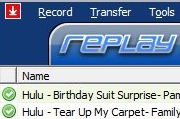
As for recording Hulu shows for offline viewing, PC World blogger Rick Broida tested Applian Technologies’ $40 Replay Media Catcher software by recording Jim Carrey’s Liar, Liar from Hulu. He says that it “was incredibly easy–press the record button, then start and pause the video–but it took a while to finish because Media Catcher records [whatever is on your screen] in real time.”
If you’ve ever let a video completely buffer only to have the browser crash before you’ve watched it, here’s one last utility just for you. VideoCacheView automatically scans your IE and Firefox cache for temporarily saved (recently buffered) Flash video, and then lets you copy the .flv files to another location on your hard drive. Nice one.
3. Automate Downloads of TV-Show Torrents
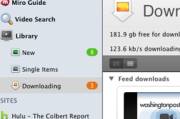
So what’s the best way to manage all of your Web video goodness? My personal preference is the Miro HD Video Player. This beautifully designed freebie handles Web video feeds, downloads torrents, and is optimized for HD video playback. It embeds VLC to play pretty much everything, including .flv Flash files. Miro also has a built-in legally sourced content guide, and it can bookmark streaming sites like Hulu.
But here’s the kicker: Some folks are using sites like tvRSS to easily copy an RSS feed of available torrents for their favorite TV show, and then subscribing to that feed with Miro. This trick enables automatic downloads of the show’s entire season to date, or even just new episodes. Other BitTorrent clients like µTorrent and Vuze can use the same RSS feed, but Miro does so with style.
Simplifying things further still is Ted (Torrent Episode Downloader). It makes creating a sort of “BitTorrent season pass” stupid-simple. Users choose from a huge predefined list of shows, and Ted works with any third-party BitTorrent client to download episodes as they become available.
4. Reduce Your Peer-to-Peer Risks

First and foremost, it’s vitally important to scan thoroughly everything you let onto your hard disk. That golden rule aside, you should also keep a few other things in mind.
Know your client: The application you use can itself present a malware problem–even before you’ve downloaded any files. BitTorrent clients known to include spyware include Bitroll, Torrent101, and TorrentQ. The popular file sharing app eMule suffers from a similar problem; though the official eMule client is malware free, the project’s open-source nature has allowed spyware-ridden clones to ride on its coattails.
If you’re just starting out, it’s easiest to stick to popular clients such as the lightweight µTorrent, Vuze (formerly Azureus), or the excellent Miro (discussed above). For the curious, Wikipedia has a detailed comparison of many BitTorrent clients and file sharing apps, complete with known spyware/adware concerns.
Use IP filters: Using a free IP blocklist can help protect against bogus downloads, anti-peer-to-peer outfits that might track you, malware, and more. PeerGuardian is a free stand-alone blocklist program, while Vuze has a simple plug-in called SafePeer, and µTorrent supports blocklists with a little tinkering.
Stick with the crowd: For finding video to watch, one starting point I’m happy to recommend is LegalTorrents; it actually has some interesting, and plainly legal, content.
But if you must wade through murkier waters for your video, stick with popular sites that have communities, like the infamous Pirate Bay. Comments on a torrent, and sometimes links to file previews, can save you the hassle of dealing with fake files and help you avoid malware. Though Vertor lacks comments, it verifies, virus-scans, and displays screen grabs for the video torrents it indexes.
Generally speaking, keep downloads at their speediest by looking for torrents with the best active seed-to-peer ratio. Seeds are uploaders who have a complete copy of the download and are still allowing others to download from them, while peers are downloaders like you who also share the parts of the file they’ve downloaded so far.
Mix that approach with a preference for popularity: Torrents don’t usually become too popular if they’re fake, or stuffed with malware. On a related note, LimeWire fans should check out Credence; this client builds on the open-source code of LimeWire to implement a reputation system that helps users avoid corrupt, damaged, or mislabeled files.
Exercise codec caution: If you use VLC Player (or if you’ve installed a trusted codec pack such as K-Lite or CCCP), then you should be extremely skeptical when a video wants to download a new codec before it will play or stream. Avoid potential codec-born malware by searching Google to get the straight dope on the particular codec being requested.
5. Try Browser-Based Torrent Tools
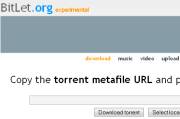
If you don’t want to install a full-blown torrent client (or you’re on a locked-down system such as a work PC), BitLet lets you download torrents through its Java applet.
The site also allows users to stream selected MP3 and OGG music files located within a torrent, and it began experiments last week to permit the same for video. Torrent Relay is a competing site that supports the PlayStation 3’s Web browser.
Also available are Web interface plug-ins for desktop clients like µTorrent and Vuze. These add-ons let you control downloads using any Internet-connected device with a browser, including cell phones. µTorrent even has a specially tailored iPhone Web interface available.
Another browser-based option is FireTorrent, a Firefox extension that enables integrated torrent downloads.
6. Convert Video for Your iPhone or Games Console

Give EncodeHD a try if you need to convert (transcode) downloaded video for playback on devices other than your PC. This free, open-source utility quickly and easily transcodes your videos for perfect playback on an iPod, iPhone, BlackBerry, Zune, Xbox 360, PlayStation 3, PlayStation Portable, or Apple TV.
Vuze also recently added its own transcoding capability, giving you one less reason to leave its comfy confines.
7. Test Whether Your ISP Throttles BitTorrent Traffic

Artwork: Chip Taylor
If you’re concerned that your broadband provider is slowing your peer-to-peer traffic, try running the Glasnost test, now partnered with Measurement Lab (a research initiative from Google and friends). You can also check the forums at BroadbandReports.com, and a wiki list of suspected torrent-shaping ISPs around the world, courtesy of Vuze. Also, Wired has a detailed wiki with suggestions to outwit your ISP. StoptheCap.com’s Phillip Dampier believes that if ISPs are still “shaping” traffic, they’re doing so under the radar.
So, where to from here? The living room, of course. A made-for-TV media hard drive can store terabytes of video that you’ve downloaded through your PC, and allow you to watch it all on your TV. Typically they have networking (wireless or wired), HDMI output, and an on-screen menu for content navigation. Media drives can also replace your PC’s role in streaming your media library to other devices on your network. This media-server ability is a key difference compared with the functions of otherwise largely similar digital media streamers.
Two of the coolest streamers are the Popcorn Hour A-110 (install your own hard disk, and it can directly download BitTorrent files) and the highly hackable Apple TV.
But for many video fans, choosing a streamer comes down to those endorsed by their favored content store: Apple TV has iTunes, Roku’s Digital Video Player works with Amazon Video on Demand and Netflix, and so on.
Source: PCworld.com

